
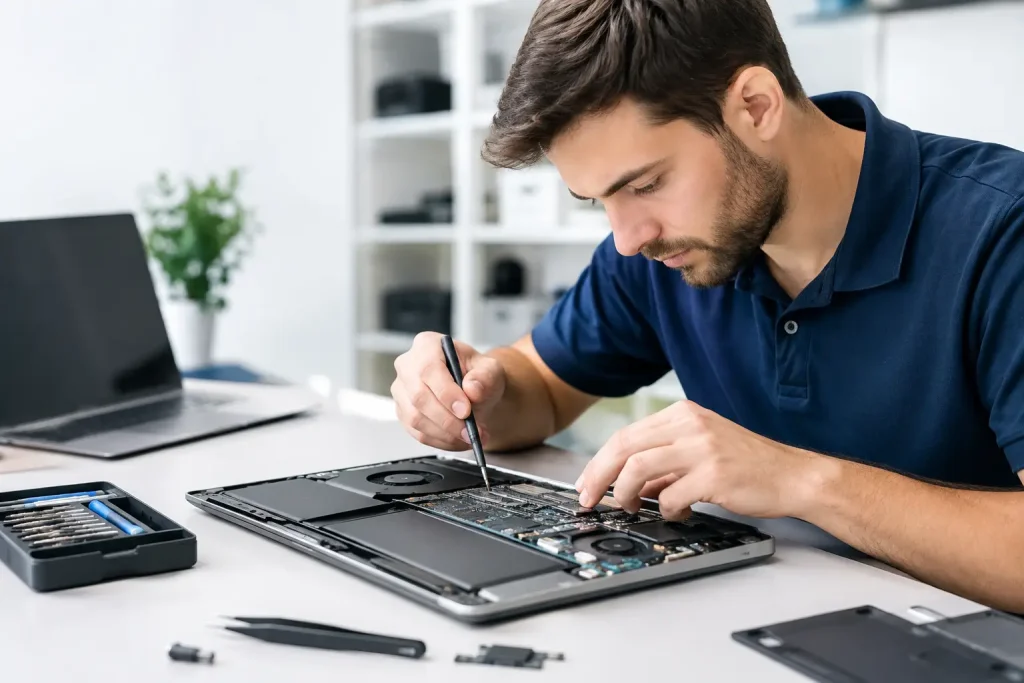
A computer that takes 15 minutes to start, drops out during a video call or refuses to open essential files is more than an annoyance. For a Mackay business, it can interrupt invoicing, customer service, payroll and daily operations. For home-office users, students and gamers, it can mean lost work, damaged data or a machine that no longer does the job it was bought to do. Professional computer repairs Mackay customers can rely on should identify the real cause of the issue, not simply apply a short-term fix.
The right repair path depends on the device, the age of its components, how it is used and, most importantly, what is at risk if it fails. A slow laptop might need a storage upgrade and a clean-up. A business workstation displaying repeated errors may have a failing drive, malware infection or wider network issue. Treating every fault as the same problem costs time and can put valuable data at risk.
When a computer repair is the sensible option
Repairing a computer is often the most cost-effective choice when the device still meets the user’s needs and the fault is isolated. Many performance problems are caused by components that can be replaced or upgraded without replacing the entire machine.
A traditional hard drive, for example, can become slow or begin to fail after years of use. Replacing it with a solid-state drive can significantly improve start-up times and everyday performance. Adding memory can help a computer handle accounting software, multiple browser tabs, cloud applications and video meetings without constantly freezing or slowing down.
Laptop repairs can also be worthwhile where the screen, keyboard, battery, charging port or cooling system is the source of the problem. A gaming PC may benefit from a graphics card, power supply, cooling or storage upgrade rather than a full rebuild. The best option is based on the device’s condition and the expected life remaining after the work is completed.
There are times when a repair is not the right investment. If a computer cannot run current operating systems or essential business software, has several failing components, or would still be underpowered after the repair, replacement may offer better value. The key is receiving a clear recommendation that weighs the repair cost against reliability, security and future requirements.
Common faults that need prompt attention
Some computer problems build gradually. Others appear suddenly and should be treated as urgent, particularly where business information is involved. Repeated crashes, unexpected restarts, clicking noises from a drive, blue-screen errors, overheating and files that will not open can all indicate a hardware issue.
Security symptoms deserve the same level of attention. Pop-ups, unauthorised browser extensions, unfamiliar software, locked files or emails being sent from an account without permission may point to malware or compromised credentials. Removing the visible symptom is not always enough. The device, user accounts, backups and network access may need to be checked to make sure the issue has not spread further.
For businesses, a computer fault may also be the first visible sign of an infrastructure issue. Slow access to shared files can be caused by the computer, but it can also stem from Wi-Fi coverage, a network switch, internet connection, cloud service configuration or a server problem. This is where a technician with broader IT capability can save time. The repair should address the layer where the fault actually sits.
Computer repairs Mackay businesses need to plan around
A broken computer in a business is rarely a standalone event. Staff may be unable to access cloud applications, answer VoIP calls, process payments or reach files stored on a server. If the affected device contains the only copy of customer records, job information or financial documents, the consequences become much more serious.
Before any repair begins, data protection should be considered. A failing drive can deteriorate quickly, so continuing to restart the computer or run repair tools without a plan may reduce the chance of recovery. Where possible, important data should be backed up before hardware work, operating system repairs or major upgrades take place.
Businesses should also consider what happens while the device is off the desk. A spare workstation, cloud access through another device and correctly configured user accounts can keep staff productive during a repair. For organisations with several computers, standardised hardware and centralised management make this easier. An old machine may be repaired as a temporary backup device, while a newer system is prepared for a staff member with more demanding requirements.
EHW Technology can support targeted device repairs as well as the wider environment around them, including connectivity, Microsoft 365, cloud systems, cybersecurity and backup arrangements. That matters when a computer fault is affecting more than one person or one device.
What a proper repair process should cover
The fastest-looking fix is not always the fastest outcome. Reinstalling software, clearing errors or replacing a part without testing can leave the underlying issue unresolved. A proper repair process starts with diagnosis: understanding the symptoms, checking hardware health, reviewing system errors and confirming how the computer is used.
Once the likely cause is identified, the repair recommendation should be straightforward. You should know what has failed, what work is proposed, whether your data is safe, what alternatives are available and whether an upgrade or replacement is more sensible. This avoids putting money into a computer that will soon create the next problem.
After work is completed, testing is essential. The computer should start reliably, connect to required networks and printers, run core applications and remain stable under normal use. For a business machine, that can include confirming access to shared folders, cloud services, email, phone software and line-of-business applications. For a home computer, it may mean confirming files, accounts, updates and peripherals are working as expected.
Repairs, upgrades and replacements have different roles
A repair restores something that has stopped working. An upgrade improves performance, storage capacity or capability. Replacement addresses a device that is no longer practical, secure or economical to retain. These options can overlap, but they should not be treated as interchangeable.
For example, an older desktop with a healthy processor may become a capable office machine after a solid-state drive and memory upgrade. A laptop with a damaged screen may be worth repairing if it is otherwise current and reliable. On the other hand, a device with an unsupported operating system can create security and compatibility risks that a small hardware repair will not solve.
Refurbished and ex-government computers can be a practical option where budgets are tight, provided the equipment is assessed for its intended workload and supplied with suitable storage, memory and software. They may be ideal for web-based office tasks, reception desks or secondary workstations. They may not be the right choice for design work, large datasets, engineering applications or high-end gaming. Matching the device to the job prevents false savings.
Reducing the chance of the next failure
Computer repairs are valuable, but recurring faults often point to maintenance gaps. Dust buildup can cause overheating. Old drives can fail without warning. Unmanaged updates, weak passwords and no backup checks can turn a minor issue into a serious disruption.
For home offices and small businesses, a few practical controls make a significant difference: maintain verified backups, install updates in a controlled way, use reputable security protection, replace ageing hardware before it becomes critical and ensure important files are not stored in one place only. Businesses with multiple users may also benefit from proactive monitoring, managed updates and documented recovery procedures.
The aim is not to replace every computer at the first sign of age. It is to make informed decisions before a device fails at the worst possible time. A well-repaired and properly maintained computer can provide years of dependable service, while a clear replacement plan keeps your business or home office ready for the work ahead.