
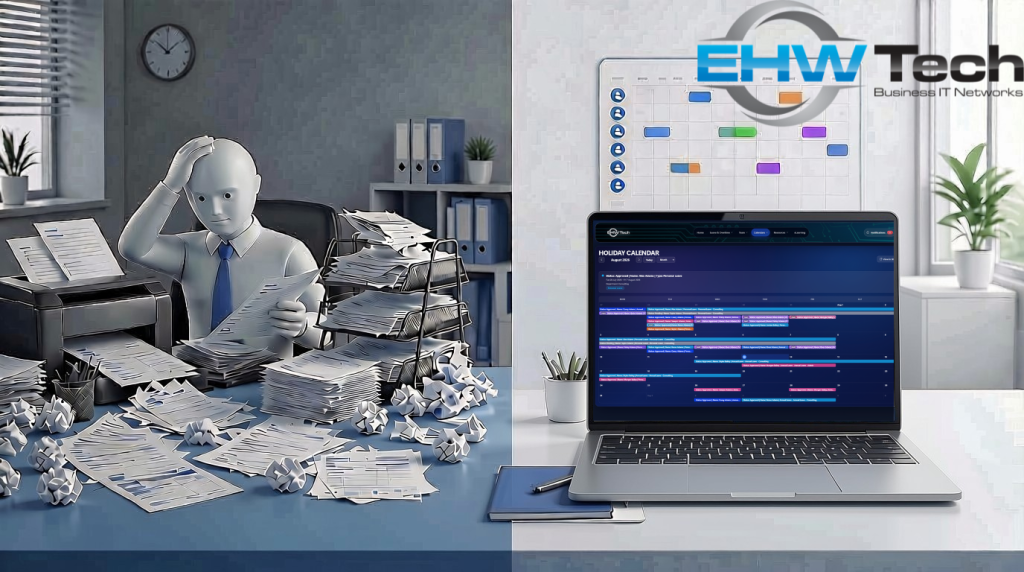
How much time does your business lose to leave admin? An employee prints a form, finds the manager for a signature, and the form gets passed to payroll. Or someone sends an email, the manager misses it, and payroll chases a screenshot. By Friday, nobody is sure what was approved or when.
For Mackay businesses, this chaos is more than annoying — it’s expensive. At EHW Technology, we’ve put together a simple system where staff apply for leave using a basic app, and managers approve it in a shared company dashboard. No more printed forms, no more lost emails, no more chasing people down.
Why Paper and Email Approvals Don’t Work
Whether it’s a printed form or an email, manual leave approvals become a liability as your team grows. Paper forms get lost on desks, signed twice, or never make it to payroll. Emails get buried in inboxes. Payroll can’t tell if a request was approved or just acknowledged. And if there’s ever a dispute, good luck finding the original form or email thread six months later.
📖 A Familiar Story
Picture this: Jessica needs Friday off. She prints the form, hunts down the manager for a signature, and walks it over to payroll. But the form gets buried under paperwork. Payroll doesn’t see it. On Friday, she’s marked absent and the team is short-staffed — all because a piece of paper went missing. Or maybe your business has moved to email, and the same thing happens: the request sits unread, gets forwarded three times, and payroll is left guessing whether “sounds good” means approved.
The hidden costs add up:
- ❌ Staff wasting time printing, signing, and passing around paper forms
- ❌ Staff waiting days for approval before they can plan time off
- ❌ Managers losing track of who is away and when
- ❌ Payroll errors from unclear or missing approvals
How It Works
Our solution uses the Microsoft 365 tools you already pay for. Staff use a simple form on their phone or computer. Managers see every request in one place and approve or decline with one click. Everything is saved automatically, so there’s always a clear record.
✍️ Step 1: Staff Apply in Seconds
Staff open a simple form in Power Apps on their phone or computer, fill in the details, and hit submit. No emails, no screenshots, no chasing — the request goes straight into a central SharePoint list.
📋 Step 2: Managers Approve in One Place
Managers see every pending request in one easy-to-read SharePoint approvals dashboard. They can approve, decline, or add a comment with a click, and check the full history of any request.
📊 Step 3: Everyone Knows the Status
Every request is clearly marked as pending, approved, or declined in the SharePoint list. Staff can check progress without sending follow-up messages, and managers can plan around who is away — with all approved and pending leave feeding through to the shared team calendar.
⏰ Step 4: Automatic Reminders Keep Approvals Moving
Approvers get a daily reminder about any leave requests waiting for them. The reminders are sent automatically using Power Automate, so nothing sits in someone’s inbox and gets forgotten.
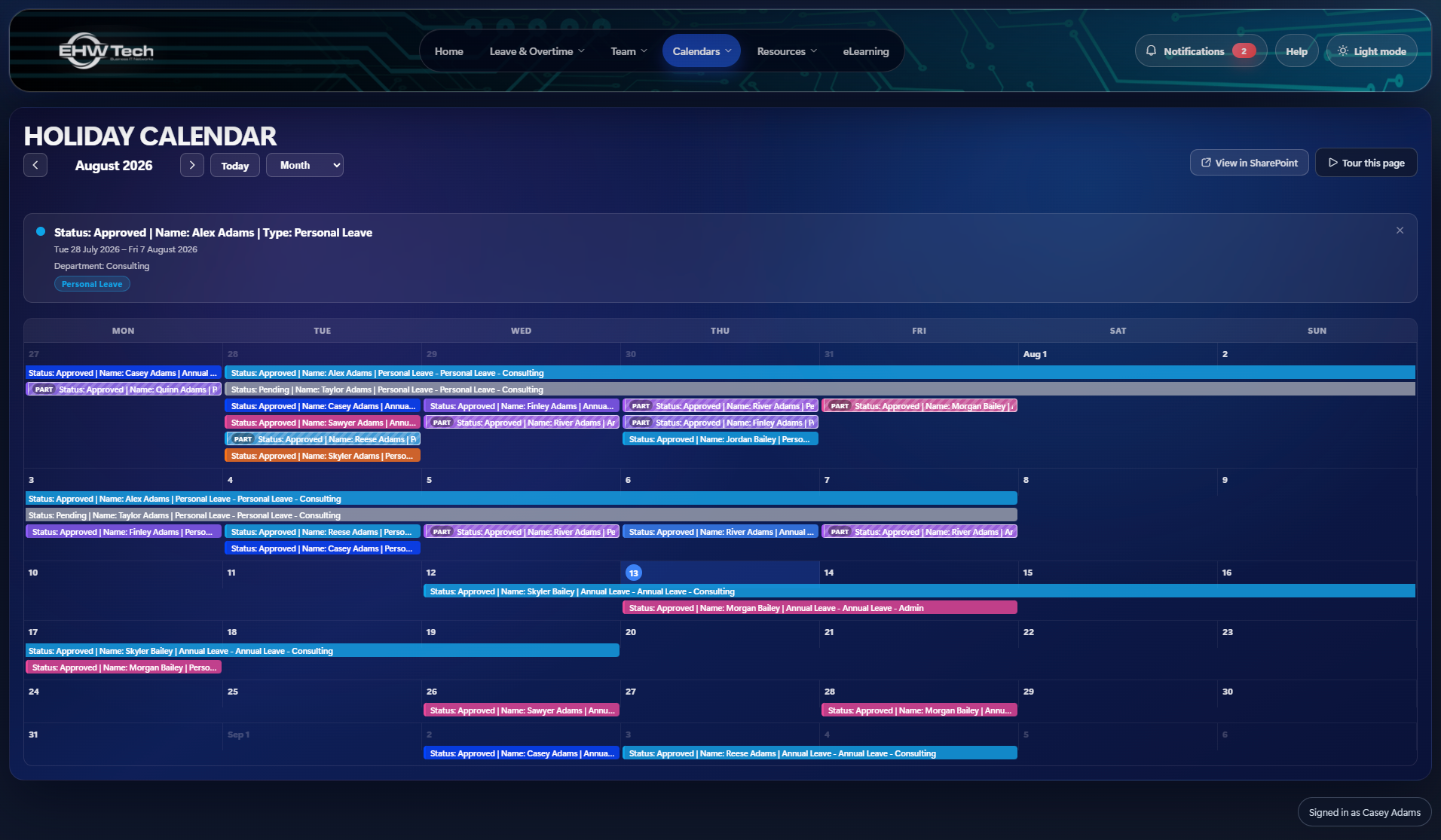
📅 Step 5: Approved Leave Appears on a Custom SharePoint Calendar
Once a leave request is approved, it appears straight away on a custom-built, colour-coded SharePoint calendar. Pending and approved leave is shown in distinct colours so managers can see real-time availability at a glance. Staff and managers can switch between month and week views to see who is away — no more checking spreadsheets or asking around.
How We Built It
We built the staff form in Power Apps so staff can use it on phones, tablets, and desktops without installing anything. Every leave request is saved to a single SharePoint list that acts as the central record — no more scattered emails, screenshots, or paper copies.
Power Automate watches the list and routes each request to the right manager for approval. When a manager approves or declines, the SharePoint list updates immediately, and the result flows through to a custom SharePoint Framework (SPFx) calendar. The calendar is colour-coded by status and leave type, so managers can see real-time availability at a glance.
Because everything sits inside the Microsoft 365 platform, the same logins, security groups, and permissions you already use also control access to the app, the list, and the calendar.
Built for Mackay SMBs
We know local businesses don’t want another expensive subscription. That’s why this solution uses tools already included in most Microsoft 365 business plans — a simple app for staff and a shared dashboard for managers.
- ✅ No extra software to buy — uses Microsoft 365 you already have
- ✅ Works on phones and computers — staff and managers can use it anywhere
- ✅ One place for everything — no more lost emails or conflicting spreadsheets
- ✅ Fits your rules — set up to match how your business already handles leave
- ✅ See the patterns — spot leave trends before they become problems
- ✅ Colour-coded SharePoint calendar — pending and approved leave appears automatically in a custom-built SPFx calendar with month and week views
Real-World Uses for Mackay Businesses
Trades and construction: Site supervisors request leave from the field. Office managers approve it quickly so crews are never left short-staffed.
Professional services: Consultants request leave without interrupting client work. Managers see the full team calendar before approving.
Healthcare and aged care: Shift-based staff request leave with clear records, helping with compliance and roster planning.
Retail and hospitality: Store managers approve leave from their phones, even when they’re not at a desk.
Ready to Replace the Email Trail?
If you’re still managing leave through email, messages, or spreadsheets, there’s a better way. A simple, step-by-step system saves time, reduces payroll mistakes, and gives everyone confidence that requests are being handled properly.
At EHW Technology, we help Mackay businesses set up simple, reliable leave approval systems that match how they already work. We don’t force you into a rigid system — we set it up around your existing policies and team.
Get a Demo
We’ll look at how you currently handle leave, then show you how a simple app and shared dashboard could save time and cut down errors. No obligation, no technical jargon — just practical advice for your business.
🚀 What Happens Next:
- We listen – You tell us how leave currently works in your business.
- We map it – We design a system that matches your approval process.
- We build it – We set up the app, dashboard, and connections to Microsoft 365.
- We support you – We train your team and stay available for adjustments.
📬 Contact EHW Technology
| 📞 Local: | (07) 4944 0111 |
| 📞 National: | 1800 301 983 |
| 🌙 After Hours: | 0409 754 208 |
| ✉️ Email: | sales@ehwtech.net.au |
| 📍 Visit Us: | 81 Wood St, Mackay QLD 4740 |
| 🕐 Business Hours: | Mon–Fri: 8:00am – 5:00pm |
EHW Technology — Your Business IT Specialists. Proudly serving Mackay and regional Queensland.